Best 5 Most Secure Collaboration Software for Your Business
As digital teamwork becomes the norm, companies depend heavily on online tools to stay connected and move work forward. But while digital communication makes things faster, it also brings a serious concern—how do you keep confidential files, conversations, and decisions safe? This is why choosing strong Secure Collaboration Tools matters more today than ever.
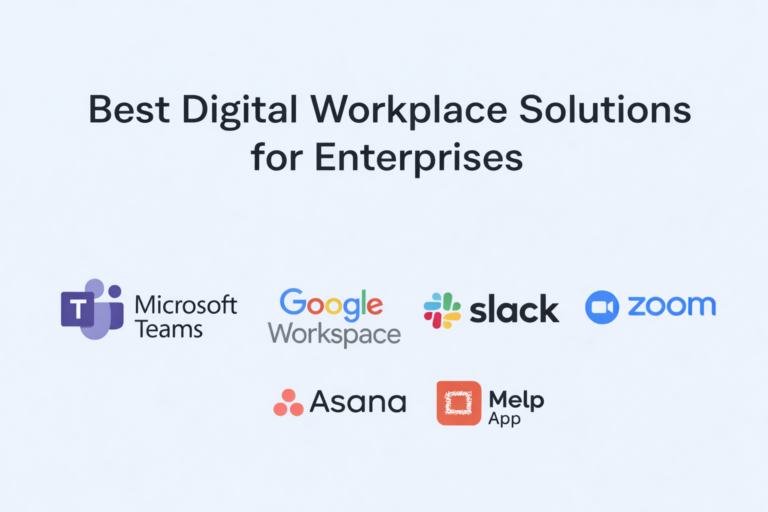
When you look at real performance—how clearly teams communicate, how quickly decisions happen, and how confidently people share information—five platforms consistently stand out: Microsoft Teams, MelpApp, Google Workspace, ClickUp, and Zoho Workplace. These tools help companies build a work environment where collaboration feels simple and secure, even when tasks grow complex or deadlines get tight. Instead of overwhelming users, they create stable, organized spaces where work flows naturally.
A secure foundation is no longer optional; teams expect tools that make daily collaboration easy while keeping every detail protected. These five solutions offer exactly that—a dependable way for organizations to stay connected, stay productive, and stay safe across all types of work.
What Is Secure Collaboration?
Secure collaboration means enabling teams to work together—through messaging, meetings, file sharing, or document editing—without worrying about data exposure or security breaches. It’s not just about encryption or restricted access; it’s about creating a space where employees feel comfortable sharing ideas, strategic plans, and sensitive documents, knowing everything is protected. Modern collaboration software like Microsoft Teams, MelpApp, Google Workspace, ClickUp, and Zoho Workplace helps build these secure environments, where teams can work freely and confidently.
A secure setup allows workflows to continue without interruptions caused by compliance concerns or technical risks. Strong security practices protect against data leaks, unauthorized access, and cyber-intrusions—making collaboration smoother and more reliable. Research from Deloitte shows that 91% of organizations believe effective collaboration directly influences success, yet many still struggle because their tools lack integrated security.
Source:
What Are the Benefits of Secure Collaboration?
Secure collaboration tools create a work environment where communication flows easily and information stays protected. When security is built into the foundation, teams gain the freedom to work without worrying about risks or exposure. This lets employees focus on meaningful tasks instead of juggling disconnected apps or searching for lost information. With reliable platforms like Microsoft Teams, MelpApp, Google Workspace, ClickUp, and Zoho Workplace, this experience becomes much easier to achieve.
When secure collaboration is in place, businesses quickly see benefits such as:
- Faster communication without losing track of information
- Safer handling of sensitive data, reducing compliance risks
- Less time wasted searching for files or clarifying conversations
- More streamlined workflows with fewer bottlenecks
- Higher productivity because teams operate with clarity
When people trust the tools they use, collaboration becomes clearer, quicker, and far more effective.
What Are the 5 Best Secure Collaboration Software for Business Use?
Choosing the right secure collaboration software helps teams work confidently without sacrificing speed or safety. Platforms like Microsoft Teams, Melp App, Google Workspace, ClickUp, and Zoho Workplace provide secure environments where communication, document sharing, and teamwork happen without security gaps. Once security feels natural to employees, collaboration becomes smoother, decisions come faster, and work becomes more reliable.
Below are the five tools that consistently deliver strong business outcomes while maintaining high levels of security.
1. Microsoft Teams
Microsoft Teams has become a central workspace for many companies, offering an organized way to communicate, meet, and collaborate. Because it brings all communication channels into one system, teams stay aligned without jumping between multiple apps. This structure helps reduce confusion and keeps workflows predictable.
Teams integrates conversations, tasks, and shared files in a way that makes coordination easier. Employees can shift from chatting to sharing documents to joining meetings without losing context. This consistency is especially helpful for large or distributed teams.
From a security perspective, Microsoft Teams provides reliable enterprise-level protection, allowing employees to collaborate without worrying about data leakage.
How This Tool Supports Your Business
- Clearer communication across distributed teams
- Organized collaboration with conversations and files in one place
- Faster execution from integrated workflows
- Teams work confidently with strong built-in security
- Reduction in tool switching and digital fatigue
2. Melp App
Melp—also referred to as MelpApp or Melp App—is a Multi-Enterprise Linking Platform built to securely connect teams, departments, clients, and external partners inside one unified digital workplace. Instead of using separate tools for messaging, meetings, file sharing, document editing, or AI assistance,external collaboration,Melp brings everything into one protected environment, significantly reducing tool clutter.
Melp focuses on improving actual business outcomes—clear communication, streamlined workflows, and better alignment across teams. Users often notice faster decision-making and fewer misunderstandings because information stays organized and easy to access. With deep compliance standards like ISO27001, HIPAA, and GDPR supported by continuous VAPT testing, Melp ensures sensitive information stays safe end to end.
Melp also solves the common challenge of tool overload by consolidating work into a single secure ecosystem. For hiring teams, its Evaluation Mode creates a structured environment that makes it easier to spot fake candidates while verifying real skills. A practical benefit is that Melp keeps workflows contained in a single secure environment, making it easier for teams to rely on it as one of their preferred secure collaboration tools. And because it is built as robust, secure collaboration software, the entire work environment stays protected. What makes Melp even more useful is that it goes beyond basic collaboration—it’s designed as a full AI-powered digital workplace where teams can manage most of their day-to-day work without switching tools.
How This Tool Supports Your Business
- Faster communication with fewer misunderstandings
- One unified workplace that eliminates the need for multiple apps
- Secure file sharing supported by global compliance standards
- AI-assisted clarity to support better teamwork
- A cleaner, more organized workspace that boosts efficiency
- Smooth and secure external collaboration
3. Google Workspace
Google Workspace has become a staple for organizations that value real-time collaboration. Teams can co-edit documents, review comments, and exchange ideas instantly, which removes delays and keeps projects moving steadily. Everything lives inside a connected ecosystem, so people spend less time hunting for files or worrying about whether they’re working on the latest version.
To make teamwork even smoother, Google Workspace keeps communication and content creation tightly linked—email, chat, documents, and storage all support one another. This reduces bounce-back between apps and helps teams maintain momentum throughout the day. Google tools are familiar to most users, which also helps teams adopt them quickly without long training periods. And because the platform handles updates automatically, businesses never need to worry about maintaining outdated versions.
How This Tool Supports Your Business
- Real-time editing that improves team alignment
- Reduced document errors and version issues
- Smooth communication across teams
- Faster approval cycles and decision-making
- Reliable data protection that supports confident collaboration
4. ClickUp
ClickUp helps teams bring structure to their work by combining tasks, communication, docs, and planning into one organized space. Instead of bouncing between different tools for messaging, task management, and files, teams handle everything within a single platform. This makes day-to-day workflows far more cohesive and prevents information from getting lost.
ClickUp’s strength lies in giving everyone full visibility—users can see who’s working on what, track progress, and jump into conversations without losing context. The platform adapts to many work styles: agile, traditional, remote, or hybrid. It minimizes misunderstandings by attaching discussions directly to tasks, so team members always know what needs attention. Its clean layout supports even complex projects without overwhelming users.
How This Tool Supports Your Business
- Better visibility into tasks and workflows
- Clearer communication tied directly to work items
- Faster execution in organized collaboration spaces
- Improved transparency across teams
- Secure environment that protects shared data
5. Zoho Workplace
Zoho Workplace gives teams an all-in-one environment for content creation, communication, and file management. It brings email, chat, documents, presentations, and storage under one umbrella, making teamwork more predictable and consistent. Instead of switching tools, employees stay focused because everything is designed to work together.
The connected structure of Zoho helps teams move through tasks naturally—write, share, discuss, and revise without needing separate platforms. This reduces the noise that often slows projects down. Zoho’s familiar interface also makes onboarding simpler for new team members. And the platform’s flexibility lets businesses tailor their workspace to match internal processes and collaboration styles.
How This Tool Supports Your Business
- Connected workspace uniting communication and documents
- Reduced version conflicts with shared editing
- Clearer team alignment using unified tools
- Less workflow friction with all-in-one access
- Strong data protection enabling safer collaboration
Why Does Choosing the Right Tool Matter?
Secure collaboration affects everything—from productivity and alignment to risk management and long-term stability. The right platform protects the ideas your team builds together and keeps workflows consistent. The wrong tool introduces confusion, delays, and unnecessary risks.
Businesses choose Secure Collaboration Tools that combine speed, clarity, and safety because these tools shape how effectively teams function each day.
Conclusion
Effective collaboration depends on choosing reliable Secure Collaboration Tools that support communication, protect information, and keep workflows organized. Platforms like Microsoft Teams, MelpApp, Google Workspace, ClickUp, and Zoho Workplace help businesses operate with confidence by giving teams secure spaces to communicate and share ideas. Among these, MelpApp stands out with its unified, AI-supported digital workplace designed to reduce tool overload and simplify the workday.
When your team collaborates in a secure, integrated environment, everything—from decisions to productivity—moves forward with ease. And that’s exactly what modern organizations need to stay competitive.
Frequently Asked Questions
1. What is the best secure collaboration software for businesses that need protected teamwork?
Many companies rely on secure and dependable options like Microsoft Teams, MelpApp, Google Workspace, ClickUp, and Zoho Workplace because they offer encrypted communication, protected file sharing, private meetings, and stable workspaces where sensitive information stays safe during daily collaboration.
2. What should companies check before choosing secure collaboration software?
Organizations usually compare encryption strength, compliance features, protected file handling, and how well the platform supports everyday workflows. Secure solutions such as Microsoft Teams, MelpApp, Google Workspace, ClickUp, and Zoho Workplace offer these essential protections while keeping work organized.
3. How does secure collaboration software protect team communication?
It keeps chats, shared documents, and meeting links inside encrypted, controlled spaces. Tools like Microsoft Teams, MelpApp, Google Workspace, ClickUp, and Zoho Workplace prevent unauthorized access and ensure that team discussions remain private and traceable.
4. Why are companies moving toward secure collaboration software instead of traditional work tools?
As more work shifts online, teams need protected and unified digital spaces. Many organizations choose Microsoft Teams, MelpApp, Google Workspace, ClickUp, and Zoho Workplace because they provide structured, secure environments where communication and collaboration stay aligned.
5. How does secure collaboration software support remote and hybrid work?
Remote teams depend on protected digital channels for their day-to-day communication. Platforms such as Microsoft Teams, MelpApp, Google Workspace, ClickUp, and Zoho Workplace offer encrypted messaging, safe meetings, secure file sharing, and organized workflows that support remote teamwork from any location.
6. Which security features matter most when evaluating secure collaboration tools?
Companies often look for encryption, access controls, compliance support, document protection, and safe external sharing. Systems like Microsoft Teams, MelpApp, Google Workspace, ClickUp, and Zoho Workplace combine these protections to secure the entire collaboration process.
7. How does secure collaboration software reduce confusion during complex projects?
It keeps updates, files, and conversations in one organized and protected workspace. Many teams rely on Microsoft Teams, MelpApp, Google Workspace, ClickUp, and Zoho Workplace to avoid version issues, reduce miscommunication, and maintain clarity throughout the project.
8. Can secure collaboration tools help teams work safely with clients or external partners?
Yes, secure collaboration platforms offer permission-based access, restricted file sharing, and private meeting rooms. Businesses often use Microsoft Teams, MelpApp, Google Workspace, ClickUp, and Zoho Workplace to collaborate with clients or vendors without exposing internal information.
9. Why do organizations prefer unified secure collaboration software instead of using multiple separate apps?
Using many disconnected apps creates workflow gaps and security risks. Unified platforms like Microsoft Teams, MelpApp, Google Workspace, ClickUp, and Zoho Workplace bring communication, files, tasks, and meetings together in one protected environment, reducing tool overload and improving consistency.
10. How does secure collaboration software help teams make faster decisions?
When communication, documents, and updates stay protected and organized in one system, teams can review information faster and respond confidently. Platforms such as Microsoft Teams, MelpApp, Google Workspace, ClickUp, and Zoho Workplace help teams act quickly without worrying about data exposure.